
Final (?) version of my LLM proofreading macro
December 27, 2025 at 10:57 AM by Dr. Drang
I’ve written two posts on using LLMs to proofread my posts before publishing. In the first post, I had a fairly rudimentary prompt and spent most of my time discussing the feedback ChatGPT gave me. By the second post, I had refined the prompt and was using a simple Keyboard Maestro macro to prepare the post text with line numbers to help me quickly get to the errors ChatGPT and Claude found.
The workflow described in the second post has served me pretty well for the past couple of months, but it did involve some unnecessary copying and jumping between apps, so I’ve improved the KM macro to take on what I used to do by hand.
Before I get into the specifics, I’ll start by saying that overall I’m happy with the results. Between the two of them, ChatGPT and Claude seem to ferret out almost all of my typos and poorly constructed sentences. Unfortunately, neither of them has emerged as the clear winner—one almost always finds mistakes that the other missed. So I’m still running my posts through both and don’t expect that to change, at least not for a while. And because this is the only use I have for either of them, I’m still using the free versions of each.
Being happy with the results doesn’t mean I trust them. Both flag “errors” that aren’t. My favorite recent error was this from Claude:
“watchOS 26” should be “watchOS 11” (or another actual watchOS version number - watchOS 26 doesn’t exist)
The free version of Claude is a little behind the times—or in denial.
Let’s move on to my workflow. Here’s my setup and how I get and use the LLM proofreading suggestions:
- I write all of my posts in Markdown in BBEdit.
- I access ChatGPT and Claude through site-specific browsers built using Unite. So I have apps named “ChatGPT” and “Claude” that are basically like visiting chatgpt.com and claude.ai in Safari.
- When I think I’m done writing a post, I open the ChatGPT SSB, start a new session, put the cursor in the text field and press ⌃⌥⌘C to run my Proofread Post macro (which we’ll get to soon). This pastes the prompt and a line-numbered version of my post’s Markdown source into the text field.
- ChatGPT processes what I’ve given it and returns a list of errors. Each error is preceded by the line number on which it was found.
- I activate BBEdit and go through the errors, correcting the ones that are real.
- I repeat the last three steps for Claude.
It doesn’t really make any difference whether I do ChatGPT or Claude first, but I’ve kind of settled into running ChatGPT before Claude.
In Keyboard Maestro, I have an LLM group whose macros run only when the ChatGPT or Claude SSB app is active.
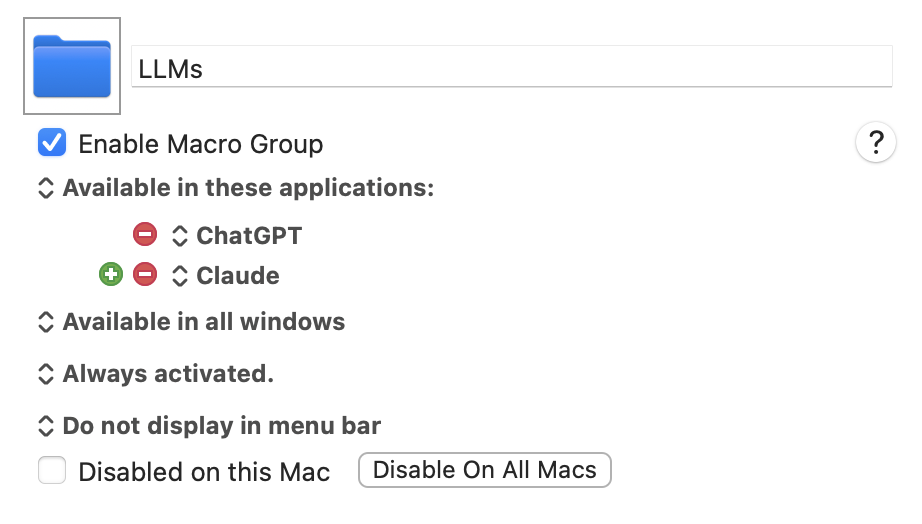
This is the group in which my Proofread Post macro lives. Here it is:
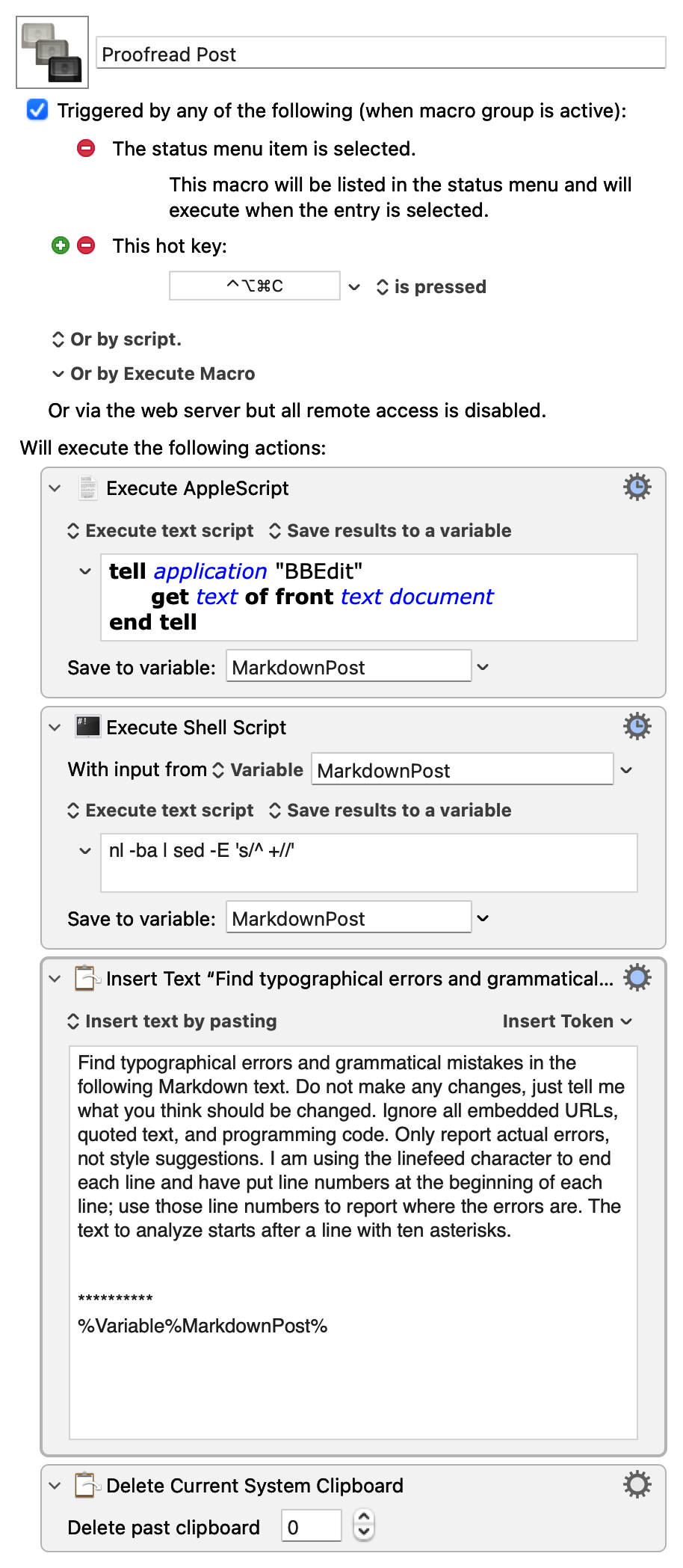
If you’re interested, you can download it (you may need to right-click on that link) and adjust it to your needs.
The first step gets the text of the post by running this AppleScript:
applescript:
1:  tell application "BBEdit"
2:    get text of front text document
3:  end tell
There’s some obvious fragility to this, but I’ve yet to run it when the frontmost BBEdit document wasn’t the Markdown source of the post I’m writing. The text is saved to the Keyboard Maestro variable MarkdownPost.
The second step passes the text through a shell filter,
nl -ba | sed -E 's/^ +//'
which adds line numbers to the beginning of each line. How this pipeline works is discussed in my earlier post. The result is saved back into MarkdownPost.
The third step combines the prompt and the line-numbered Markdown text and pastes it into the LLM’s text field for processing. The prompt is
Find typographical errors and grammatical mistakes in the following Markdown text. Do not make any changes, just tell me what you think should be changed. Ignore all embedded URLs, quoted text, and programming code. Only report actual errors, not style suggestions. I am using the linefeed character to end each line and have put line numbers at the beginning of each line; use those line numbers to report where the errors are. The text to analyze starts after a line with ten asterisks.
This is followed by a couple of blank lines, a line with ten asterisks, and the line-numbered Markdown text.
Because the third step creates an entry in Keyboard Maestro’s clipboard history that I don’t want, I added the final step to delete it.
I still read through my posts after the LLM proofreading, and I usually have my Mac read it aloud to me, too. But I’m not good at finding my own typos. ChatGPT and Claude find mistakes that my eyes and ears don’t.