
Keyboard Maestro episode on MPU
December 22, 2025 at 11:25 AM by Dr. Drang
In the most recent episode of Mac Power Users, David and Stephen discuss Keyboard Maestro, a longtime favorite automation app and the main topic of at least three previous episodes of MPU. If you’re an ANIAT reader, it’s reasonably likely that you’re already using Keyboard Maestro, and you may think this is an episode of MPU you can safely skip. I certainly considered giving it a pass, but I’m glad I didn’t. I’ll bet there’s at least one nugget in the show that you’ll be glad to have heard.
For me, it was David’s use of Keyboard Maestro’s conflict palette. I’ve known about the conflict palette for years, but I’ve always thought of it in terms of its name: a way of resolving conflicting macros that have the same trigger. To me, these conflicts are mistakes: cases in which I’ve accidentally used the same trigger on two or more different macros.
But David treats the conflicts positively. He sees the conflict palette as a useful user interface tool, a way to avoid having to come up with distinct triggers for a number of closely related macros. It’s a way of reducing the number of keyboard shortcuts you have to remember while still being able to quickly launch the macro you want.

You could, of course, build a macro that uses the Prompt For User Input action to set up a selection of other macros to run, but it’s much easier to use the conflict palette. And it’s much much easier to add new macros to the set at a later date.
I feel compelled to comment on a couple of other things that came up in the podcast:
First, there was David breaking bad on Shortcuts. David is the most tolerant Apple user I know, so when he starts talking smack, you know he’s been pushed beyond the limits anyone else would accept. As an avowed hater of Shortcuts, I loved it.
Second, Stephen has been using Keyboard Maestro in place of TextExpander. This works because typed text is one of the trigger categories that KM accepts. When David asked if there were any downsides to using Keyboard Maestro instead of TextExpander, Stephen couldn’t come up with any problems other than the initial pain of reimplementing your snippets in a new app. As someone who did exactly what Stephen did—on two separate occasions—I have thoughts:
The great advantage of purpose-built tools like TextExpander, Typinator (which is what I use now), and TypeIt4Me is that they have very quick ways of creating new snippets from selected text or the clipboard. Keyboard Maestro has no such system.
Having a speedy way to make new snippets encourages you to make temporary snippets that you may use for only a single document. These throwaway snippets are worthwhile because they save time (if you can make them quickly) and maintain consistent spelling. For example, if I were writing a report about Mxyzptlk Industries, I’d find it very helpful to have a
;mxyabbreviation that expands out to the full name. Because Typinator has a New Item From Selection… command, I can type the name once, select it, and quickly create an abbreviation to use throughout the rest of the report.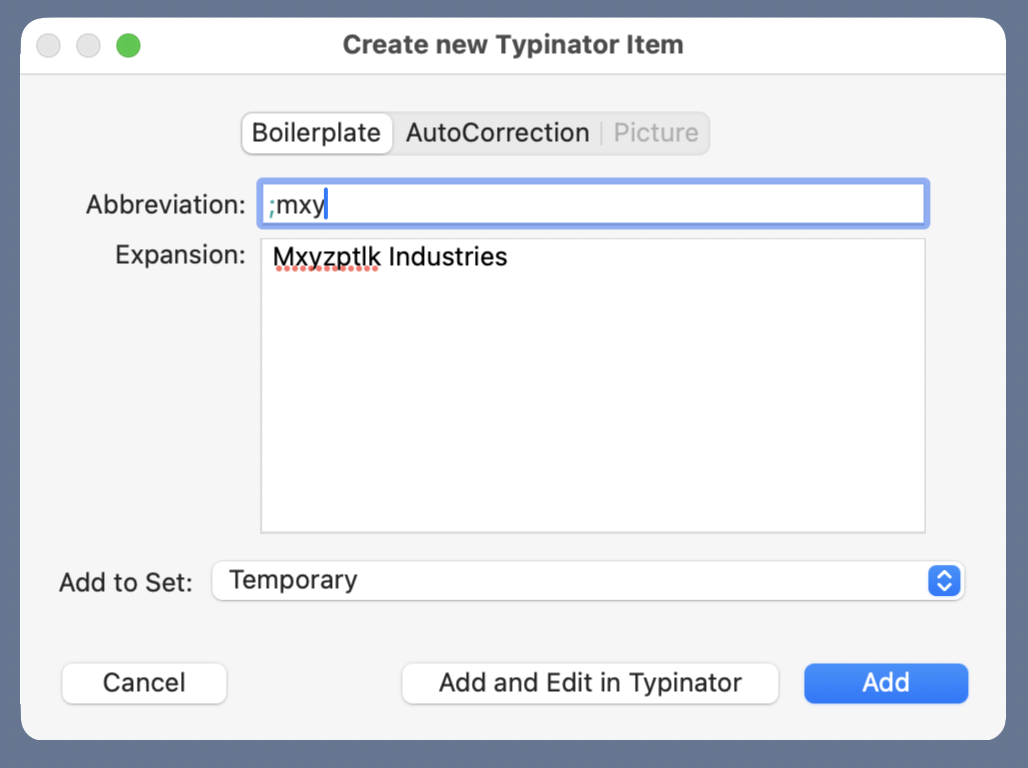
When I was using Keyboard Maestro for expansion, I found myself not making these useful temporary snippets as much as I should have because the friction was too high.
- Stephen’s lament about the time it took him to rebuild his collection of TextExpander snippets in Keyboard Maestro rang a bell with me. I got around that, to some extent, with a pair of Keyboard Maestro macros that copied most of my snippets from TE to KM with only a little work on my part. I don’t know if those macros still work—the user interfaces of both apps have probably changed in the intervening decade—but if they don’t, I bet they could be adjusted without too much effort.
One last note: I’ve included links above to a couple of the Keyboard Maestro Wiki pages. I don’t know what’s going on over there, but when I visited those pages they took an ungodly amount of time to load—like, 56k modem time. Maybe that’s just a temporary problem, but don’t be surprised if it seems like your browser has hung.