
A complication that’s one step too complicated
January 12, 2026 at 5:47 PM by Dr. Drang
I strained my right thigh and hip this fall doing something, but I don’t know what it was. Eventually, after several weeks of thinking it would work itself out, I decided it wouldn’t and started going to physical therapy. Several of the exercises I’m supposed to do at home involve getting into a stretching position and holding it for 30 seconds. For a while, I counted off the time. Then I switched to telling my nearby HomePod Mini to set a timer for 30 seconds. That worked well, but I got tired of hearing Siri tell me that it was starting a timer, and the alarm that sounded at the end was too loud.
Recently, I realized that the bottom center complication on my Apple Watch wasn’t being used for anything useful, so I switched it to a 30-second timer.
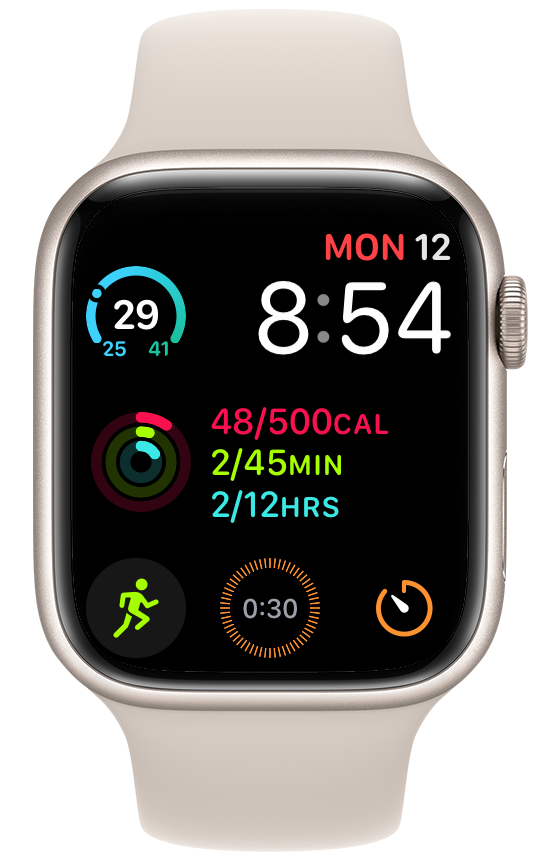
You’ll notice that the bottom right complication is for the Timer app, which looks like this when I open it:
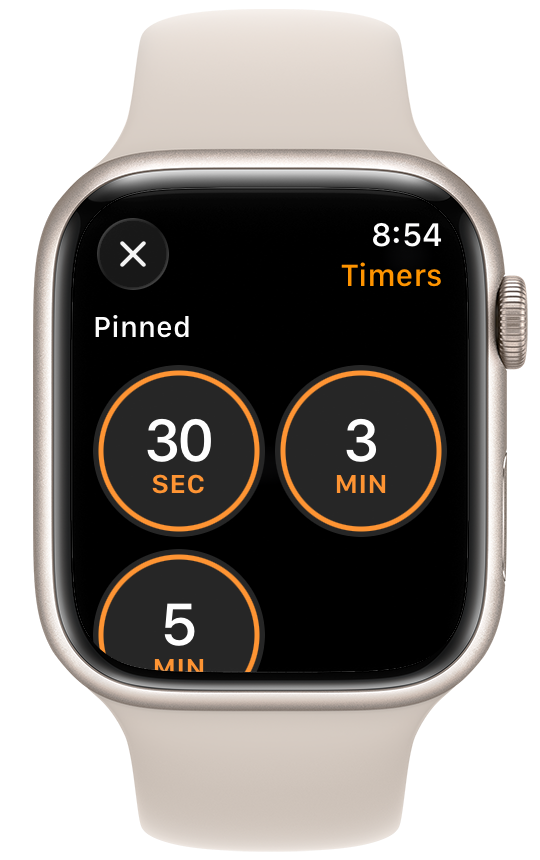
Using this to start a 30-second timer was fine, but it takes two taps to start the timer: one on the complication and then one on the 30-second button in the app. I figured a complication dedicated to a 30-second timer would give me one-tap access.
You know where this is going, don’t you?
Tapping on the 30-second complication is not like tapping on the 30-second button within the Timer app. Instead of starting the timer, it brings up this screen:
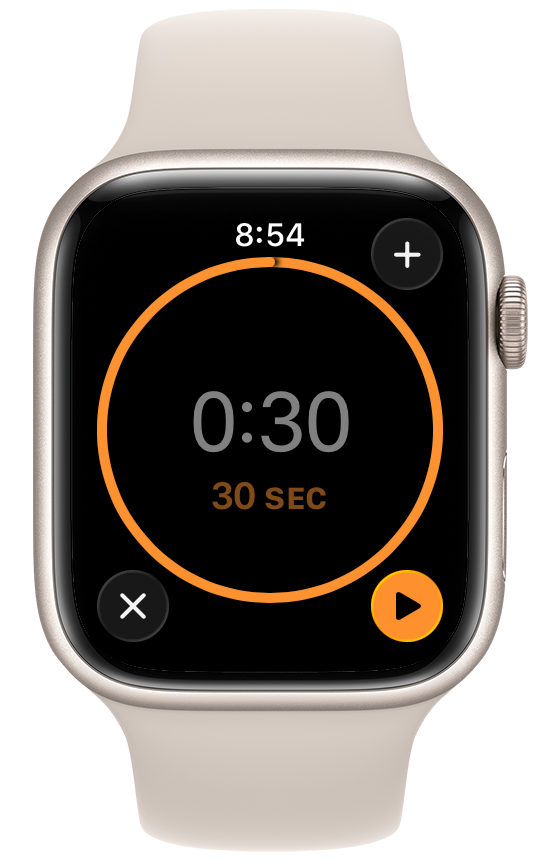
I have to tap the little Play button in the lower right corner of this screen to start the timer. It doesn’t start on its own, nor does it start if I tap the nice big circle with the redundant “0:30 30 sec” written inside it. Which leads to this question:
What in God’s name does Apple think I want to happen when I tap a Timer complication labeled “0:30”?
I remember Patrick Rhone, who used to write the Minimal Mac blog (has it really been a decade since he stopped?), saying that he always told people new to the Mac to just try what they thought should work and it almost always would. Want something saved in a sidebar? Drag it over there. Want some slightly different behavior when using a drawing tool? Hold down the Option key while you use it. Apple trained its users to think like this.
So when I go to the trouble to make a complication that’s specifically for a 30-second timer, I expect it to start the timer when I tap the complication. I don’t expect it to bring up another screen with another button. And I certainly don’t expect the button I now have to tap to be smaller than the one I’d tap if I had started with the generic Timer complication.
I feel bad complaining about small stuff like this. But the point of spending more for Apple products is that its product managers are supposed to complain about the small stuff so it gets fixed before release. Why are the affordances we used to take for granted missing?
Update 13 Jan 2026 11:16 AM
Everyone who commented on this agreed that the complication didn’t work the way it should, but there were some workaround suggestions. The one I like came from Nicholas Riley on Mastodon. He suggested raising the watch to my mouth and saying “30 seconds.” In my testing, saying “set a timer for 30 seconds” or “30-second timer” also works. The key is that I don’t have to preface the command with “Hey, Siri.” Doing so would typically have the request answered by my HomePods, which I do not want for reasons discussed in the original post.
This works because both Nicholas and I have the Raise to Speak setting turned on in Settings→Siri:
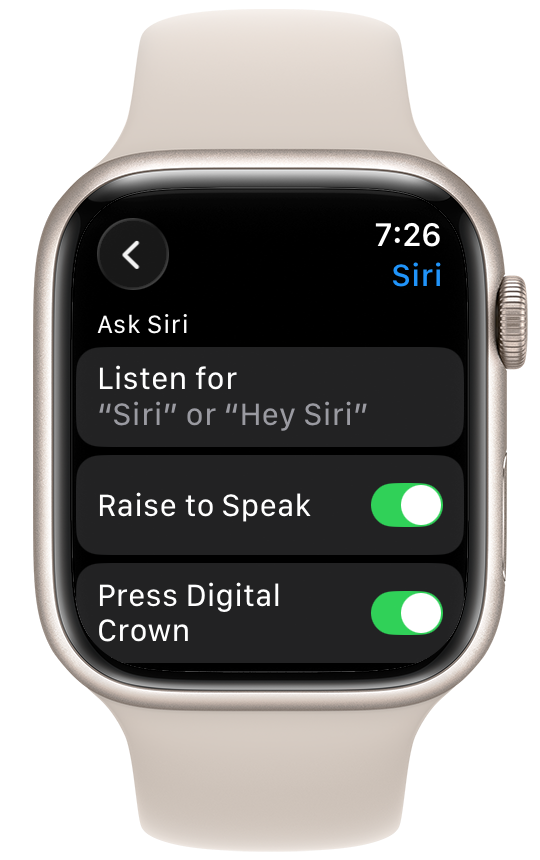
This is a setting that I had simply forgotten about. I suspect I’ve never used it before because I’ve always been reluctant to talk to my devices in public. But I don’t do my stretching exercises in public.
Now, if your watch happens to be up near head level already, simply turning it toward your mouth may not be enough to trigger Siri. I’ve had that happen—or not happen. But generally speaking (ha!), this is a good way to avoid Apple’s poor timer complication behavior. In fact, I’m now thinking I don’t need the generic timer complication anymore.
Thanks for the tip, Nicholas!