
My OmniGraffle ticks
February 20, 2026 at 11:40 AM by Dr. Drang
I thought some of you might be wondering about the dimensions on this drawing from yesterday’s post:
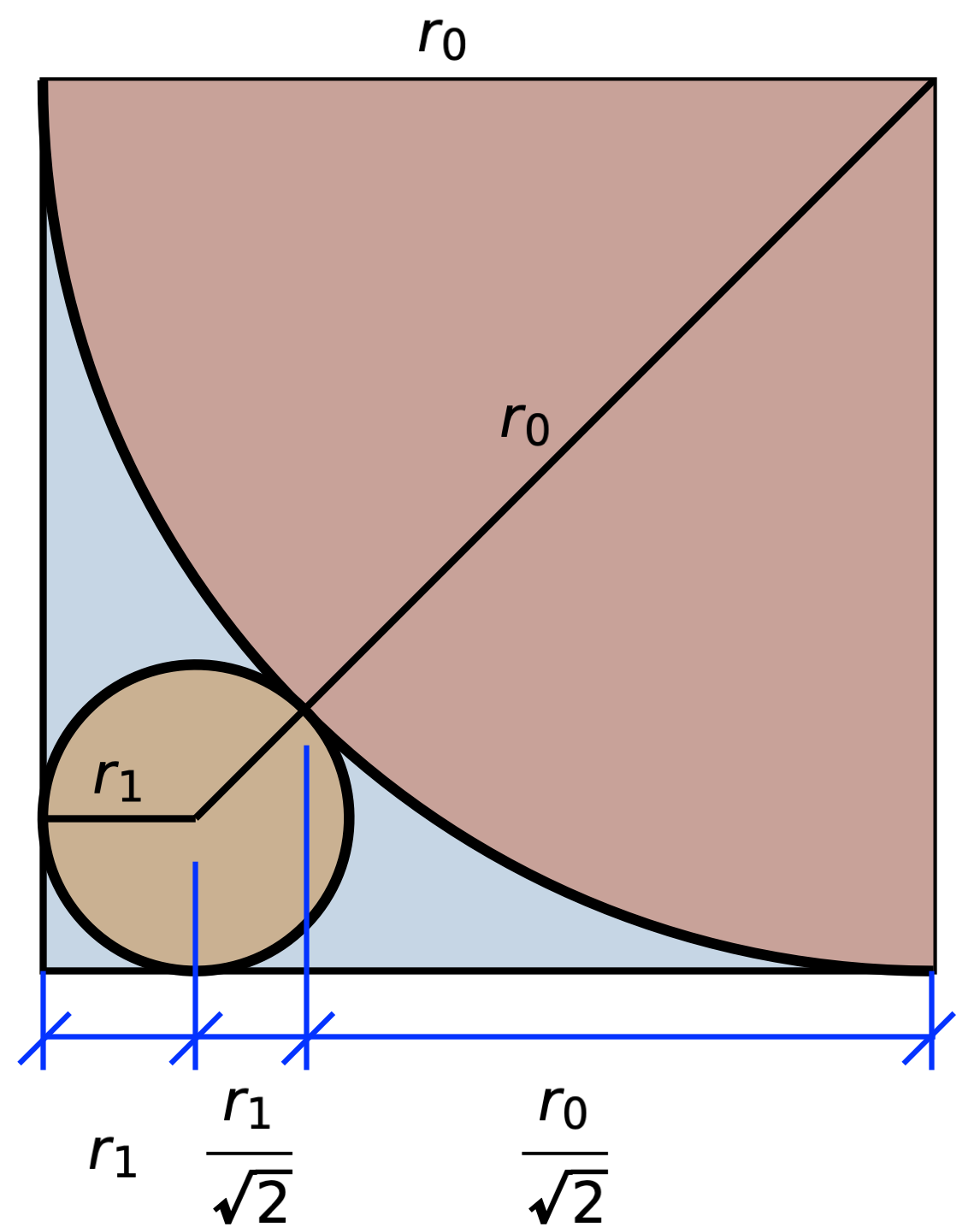
Don’t be offended—I trust you all to know why the horizontal components of the two diagonals are and . What I thought you might be questioning was my use of short diagonal ticks instead of arrowheads on the dimension lines along the bottom of the drawing.
This is a style I picked up as an undergrad. I use it all the time in hand-drawn sketches, and I think I’m going to use it here from now on. The first person I saw using this kind of dimension line was John Haltiwanger, who taught the second structural analysis class I took, and I adopted it in emulation of him. I mentioned Prof. Haltiwanger and his insistence on good sketches in this post last year.
There are two advantages to using ticks instead of arrowheads: speed and clarity. The speed advantage is obvious. Clarity comes in drawings of structural problems, where we use arrowheads to represent forces. Although it’s usually clear from context which lines are for forces and which are for dimensions, sometimes the two cross or are close enough to one another that it helps to use different ends. This is especially true when sketching on paper or a blackboard, where you can’t use line thickness to distinguish between the two.
Let’s say I’m going to analyze a simply supported beam with a uniformly distributed load across its entire length and a concentrated load at its center. I’d sketch it this way in my notebook:
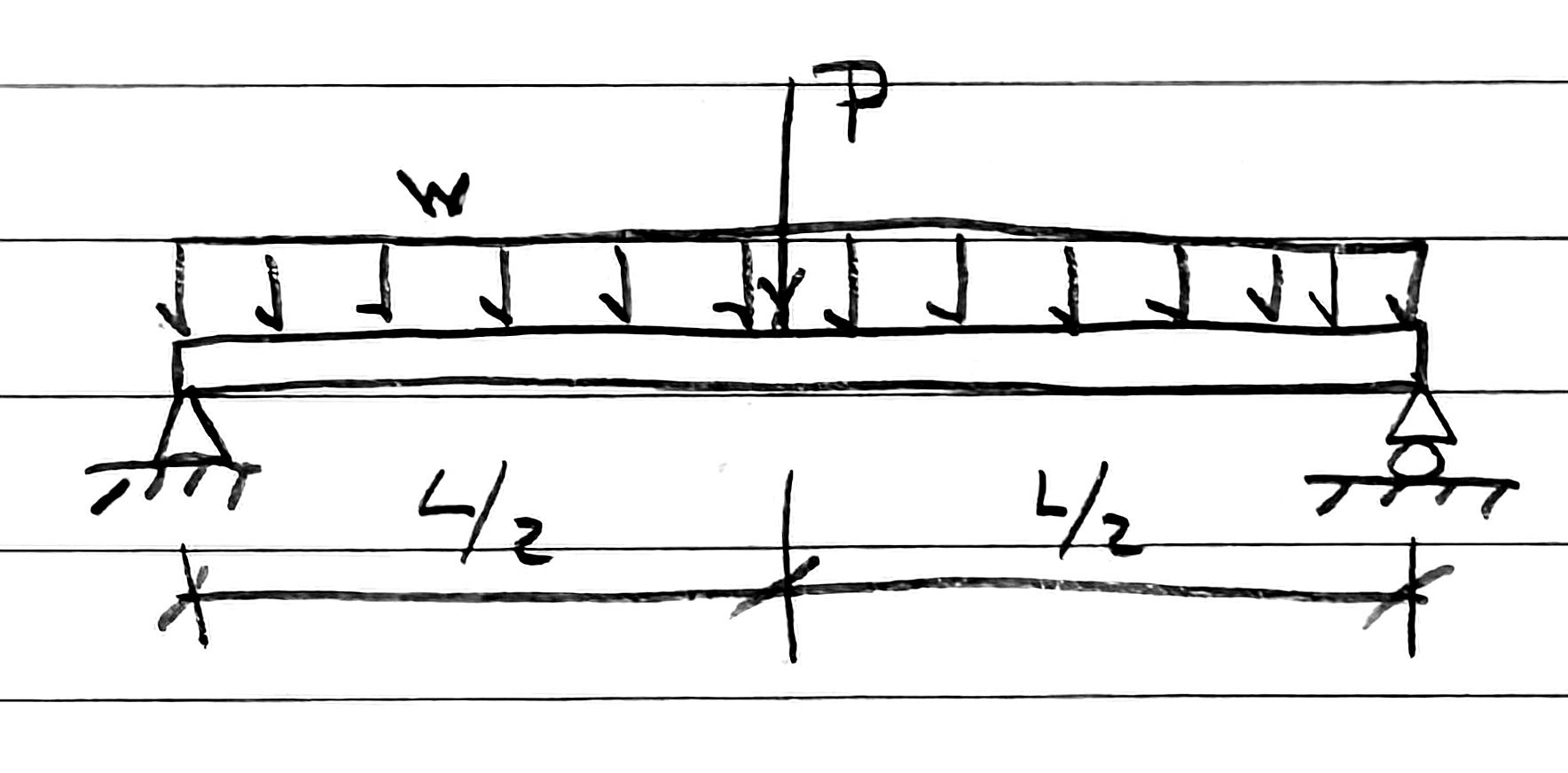
After drawing the beam, supports, and forces, I make the vertical leader lines, one long dimension line the full length of the beam, and then three quick diagonal ticks.
If I’m going to blog about it, I’ll turn it into a nicer drawing in OmniGraffle:
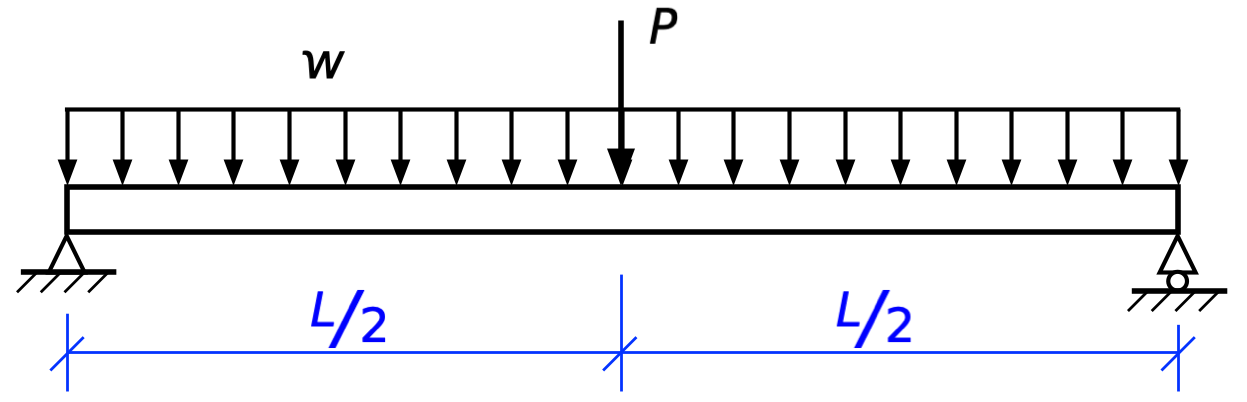
Using blue for the leader and dimension lines—and making them thinner—is a good way to distinguish them from forces, and I’ve been doing that for years.1 I’ve usually used a different style of arrowhead for the dimensions than for the forces. OmniGraffle has a huge number of arrowhead styles:
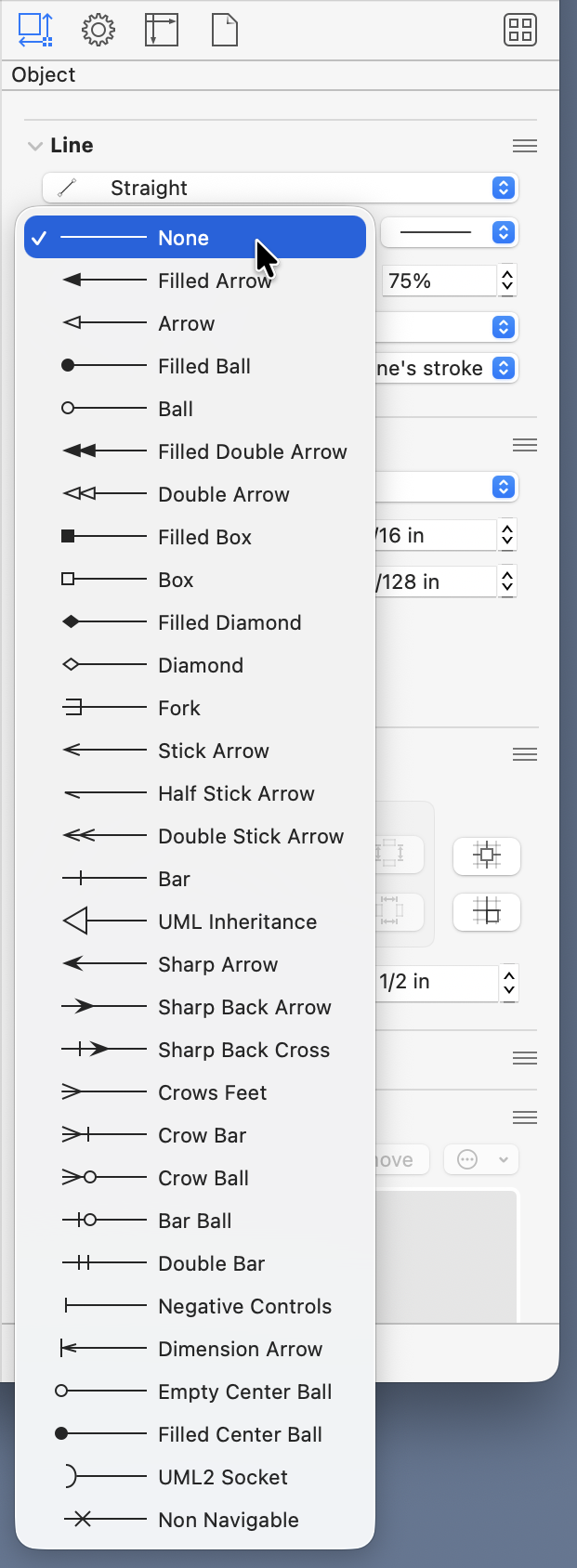
I’ve generally used the “Filled Arrow” for forces and the “Sharp Arrow” for dimensions. You might think I’d use the “Dimension Arrow,” but I’ve never liked it. It has a little leader line attached to it, which is, unfortunately, pretty much useless because it’s always the same length. Leader lines are supposed to draw your eye from the object to the dimension line—they have to be different lengths, and they’re usually much longer than the tiny ticks OmniGraffle provides.
I could continue to use the sharp arrows, of course, but I’ve decided my drawings here should look more like the sketches I make in my notebook. And it’s a nice tribute to Prof. Haltiwanger. Although his was my second structural analysis class, it was the one in which I began to truly appreciate the topic.
While I’m at it, I should mention that I made a set of stencils with objects commonly seen in structural analysis drawings.
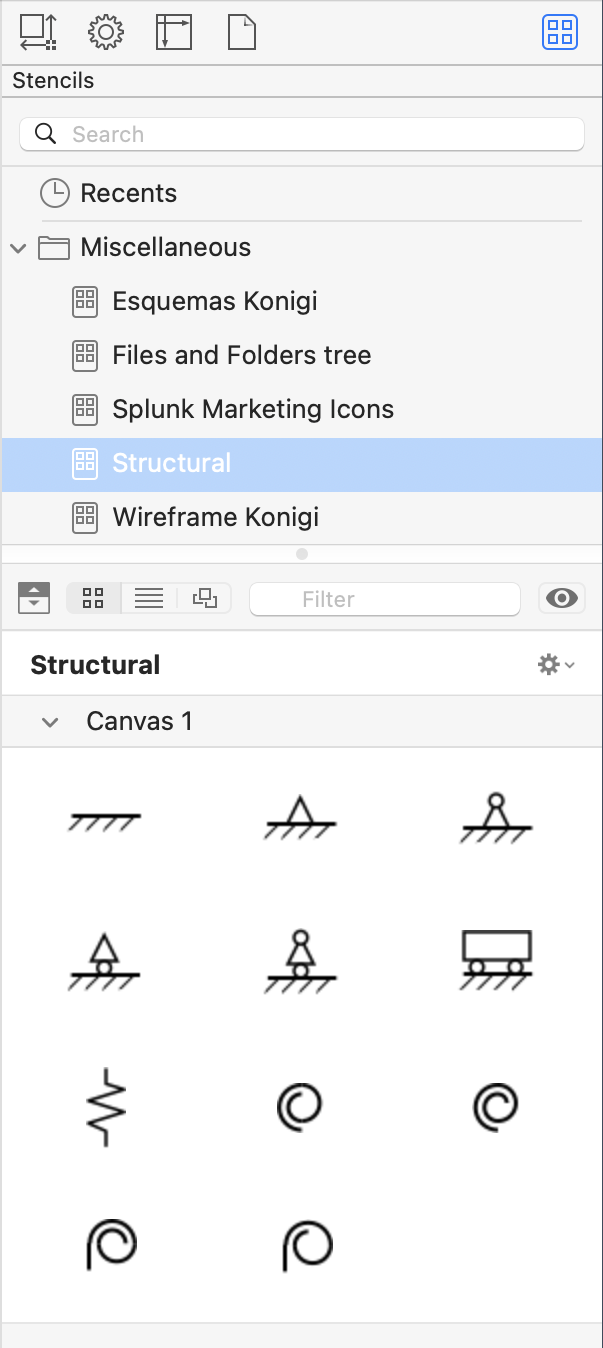
The top two rows show fixed, simple, and guided ends; the bottom two rows show springs. There are four variations on simple ends; the differences depend on whether there’s a roller and whether I want to show the hinge explicitly. There’s only one linear spring, but I needed four rotational springs to account for different angles of attachment. All of these can be rotated as needed once they’re placed in an OmniGraffle document.
-
As you can see, I have not been consistent in my use of blue or black for the dimensions themselves. ↩