
Keyboard Maestro launchers
April 19, 2026 at 9:41 AM by Dr. Drang
During my seven-week Spotlight trial, I was reminded of how easy it is to make file and folder launchers in Keyboard Maestro. In case you’ve also forgotten, here’s a short post on how to do it.
There are three items that I open quite often and that Spotlight was slow to find:
- My
blog-stuffdirectory, which is where I keep all the text files, scripts, images, and other components that go into making blog posts. Each post, or set of posts, gets its own subdirectory inblog-stuff. - My notebook index file, which is where I keep a list of all the entries in my paper notebooks.
- My
calendricaldirectory, which is where I keep the code and support files for my current programming project: a Python module implementing the functions described in Reingold & Dershowitz’s Calendrical Calculations. This folder differs from the items above in that I won’t always need quick access to it, but I will until the project is finished.
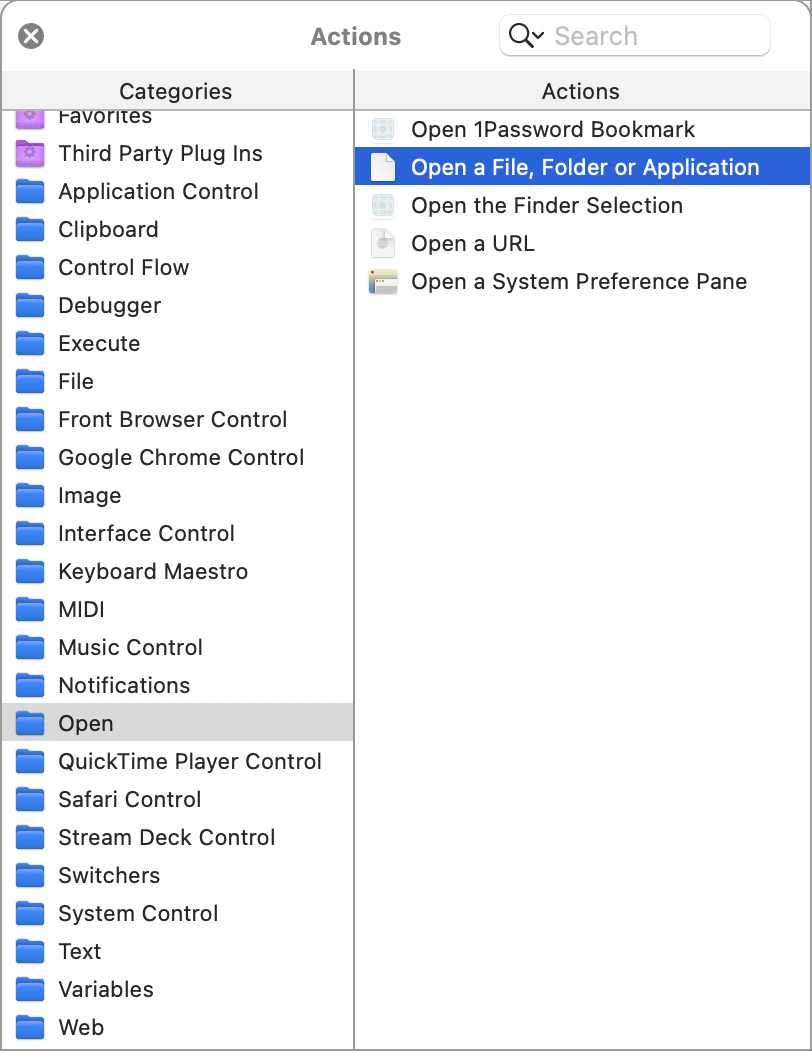
The key to making a Keyboard Maestro macro to instantly launch a file or folder is the action in the category. Here’s where you’ll find it in the Actions panel.
The macros for opening the blog-stuff and calendrical folders in the Finder are one-step macros that look like this:
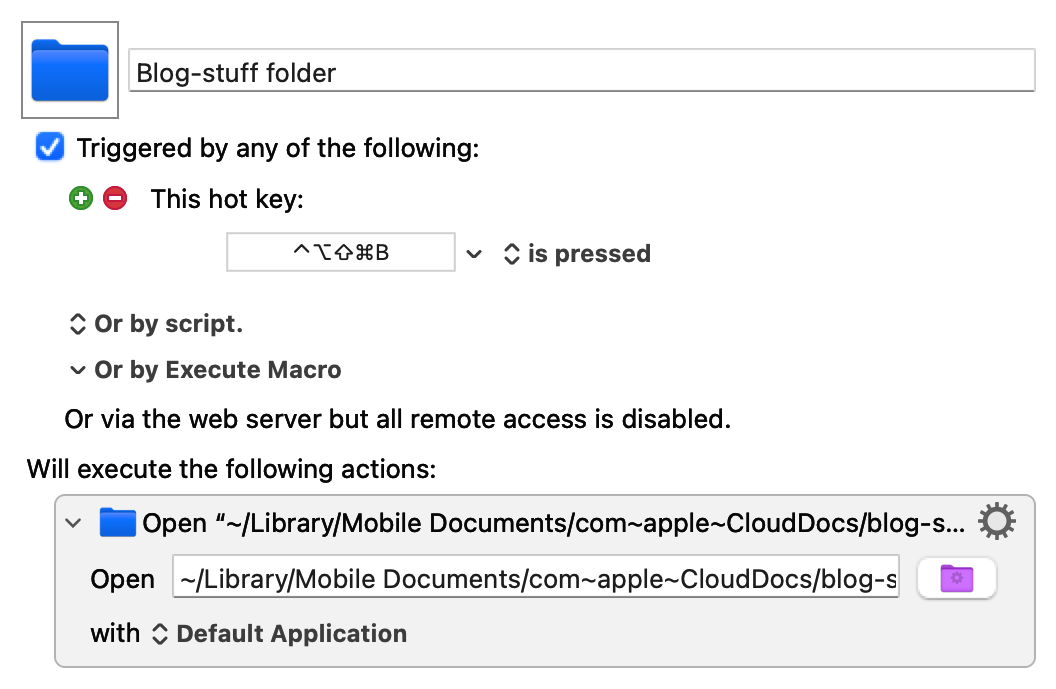
The path to the blog-stuff folder is
~/Library/Mobile Documents/com~apple~CloudDocs/blog-stuff
The calendrical macro looks the same, except it uses the keyboard shortcut ⌃⌥⇧⌘C and opens
~/Library/Mobile Documents/com~apple~CloudDocs/programming/calendrical
(These keyboard shortcuts have the sort of complicated chording I’d never use if I weren’t running Karabiner Elements to turn Caps Lock into a “Hyper” key that mimics pressing ⌃⌥⇧⌘ simultaneously. If you read Brett Terpstra, you’ll recognize the Hyper key.)
The macro for opening the notebook index file is only slightly more complicated:
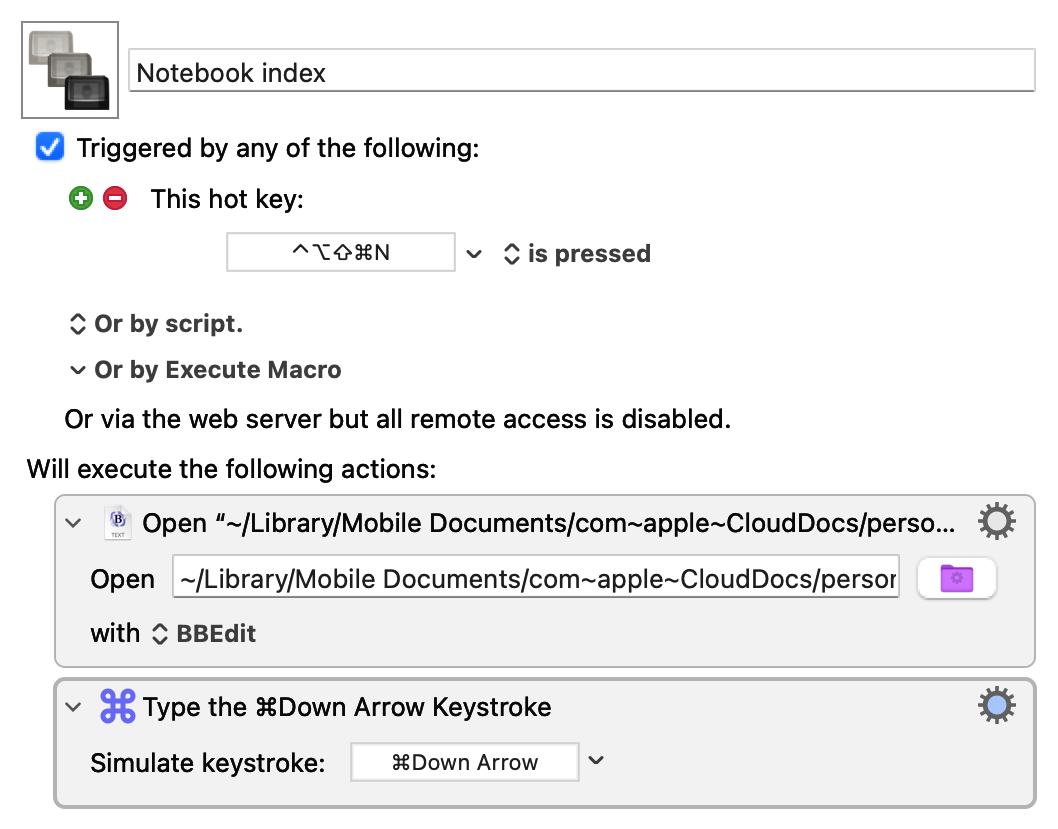
The path to the file is
~/Library/Mobile Documents/com~apple~CloudDocs/personal/Notebook index.txt
and the second step puts the cursor at the bottom of the file, which is usually where I want it, as I’m typically opening the index to add a new entry.
Even though I’m back with LaunchBar, and I can use it to get to these files and folders quickly, I’m keeping the macros. They’re not that much faster than ⌘-Space and typing a few characters, but they’re more accurate. There’s no risk of typing “cla” instead of “cal” when I want to open the calendrical folder.