
Blockheaded
May 3, 2026 at 11:59 AM by Dr. Drang
Complaints about Apple’s design choices usually involve transparency, color, and other legibility concerns. These criticisms are legitimate, but the poor design choices that usually set me off are the ones involving the mechanics of commands—what I have to do to get something done. I think of these as the “design is how it works” mistakes.
Yesterday, for example, I was going through my mail on my iPhone and came upon a piece of spam. I put it in the Junk folder with the hope that future emails like it would stay out of my inbox, but I also wanted to do something stronger. I wanted to block all future emails from that sender. I’ve done this with other senders many times before, so I know the steps to take, but I decided this time to document the process because it’s so stupid.
Tapping anywhere in the header turns the various fields blue, suggesting that a further tap on any of them will perform some other action. I’m not sure why these fields aren’t blue to start with, but that’s not my real complaint, so we’ll pass over that.
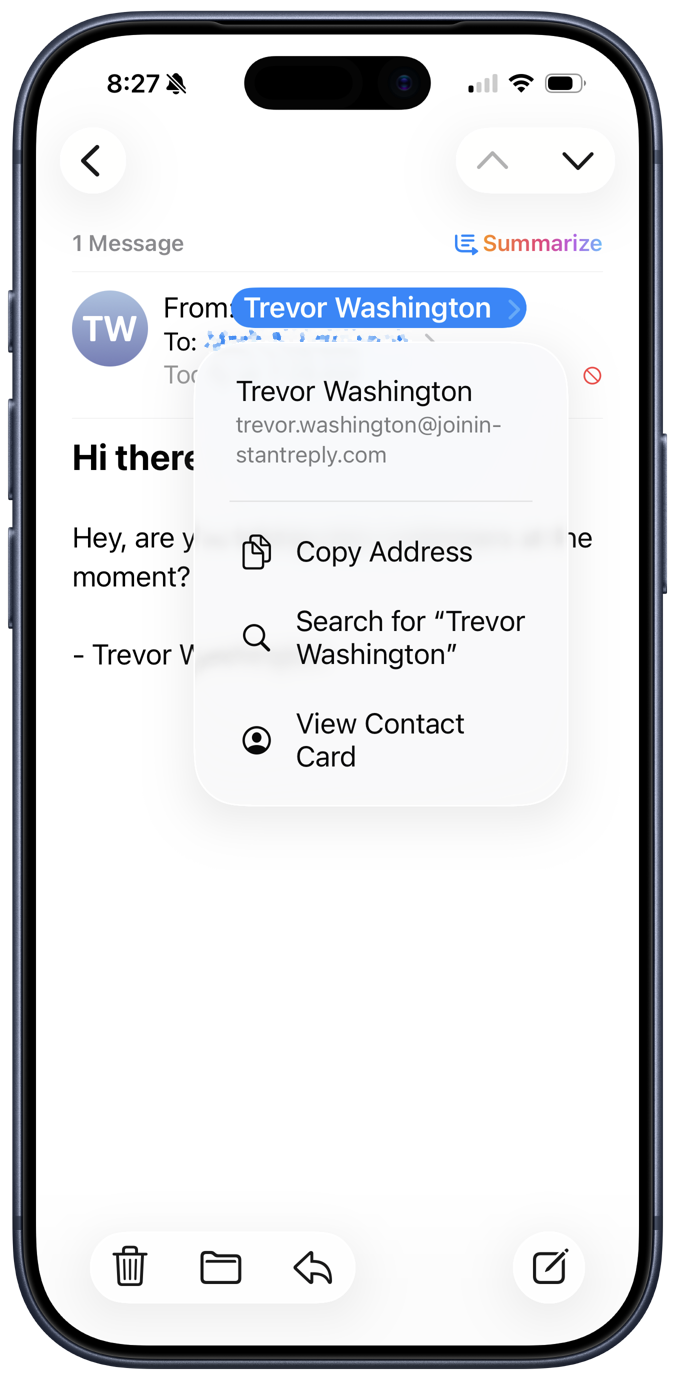
Since I want to block the sender, the natural thing is to tap on the From field. Indeed, a menu pops up with a set of commands associated with that person/address. You might think that one of them would start a new message (as opposed to a reply), but no, which I find kind of weird. More to the current point, though, is that a command named Block Contact or Block Address is also missing.
I know perfectly well that I can block contacts from my phone, so how do I do it? The Copy and Search commands are clearly wrong, and View Contact Card seems even more wrong, as I have no contact card for this person. Nor do I want one—he’s a spammer. But because I once tapped View Contact Card, possibly by mistake, I now know that that’s the choice to make because this is what appears:
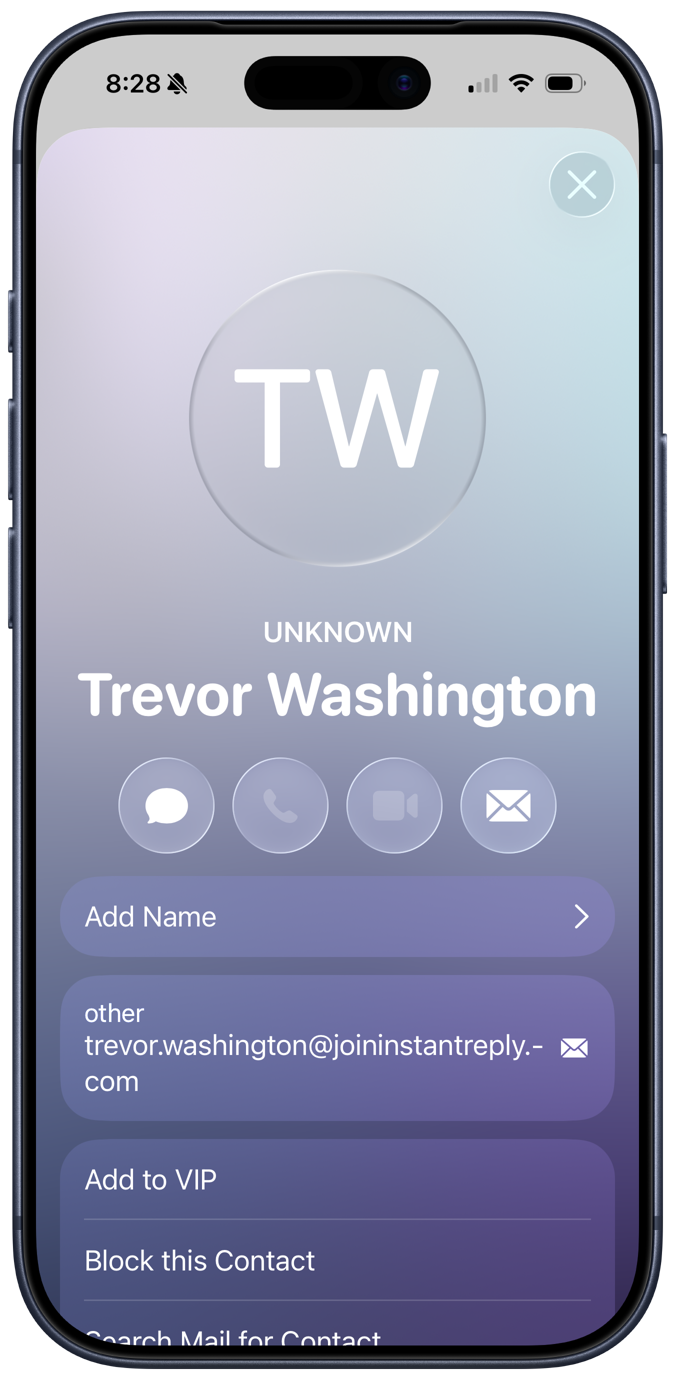
It doesn’t show an existing contact card for the sender; it shows a potential contact card, one that I could add to my Contacts app. But also included in the list of things I can do with this potential contact is block him. Which is what I did.
But this process makes no sense. View Contact Card should not be the path you need to take to block someone you have no intention of turning into one of your contacts. It’s not just an extra step (like tapping the header to turn all the fields blue), it’s a step in the wrong direction. No reasonable person who has not already gone through this process would think that View Contact Card is the command you choose to ensure that you never see an email from this spammer again.
The natural place—the correct place—for a Block Contact or Block Address command is on the popup menu you see when you tap the From field. There’s plenty of room for it. Hiding it behind a command whose primary purpose is something else isn’t a matter of taste, it’s an error.
Apple used to think about things like this and put commands where they made sense. I know that Apple has many more products than it used to, but it also has many many more employees and much much much more money. Simple things like this shouldn’t be falling through the cracks.
Update 4 May 2026 11:57 AM
See the following post for more efficient ways to block senders if you’re in iOS Mail’s list view.