
Missing miles
June 13, 2026 at 9:21 PM by Dr. Drang
I took a bike ride this morning on a portion of the I&M Canal Trail from Romeoville to Joliet and back. It’s a fairly short ride, eight miles each way, and that distance got me thinking about using Mathematica to do some calculations after I got back home.
The trail has mile markers with little snippets of information about the canal and the surrounding area. Here are the markers I passed this morning:
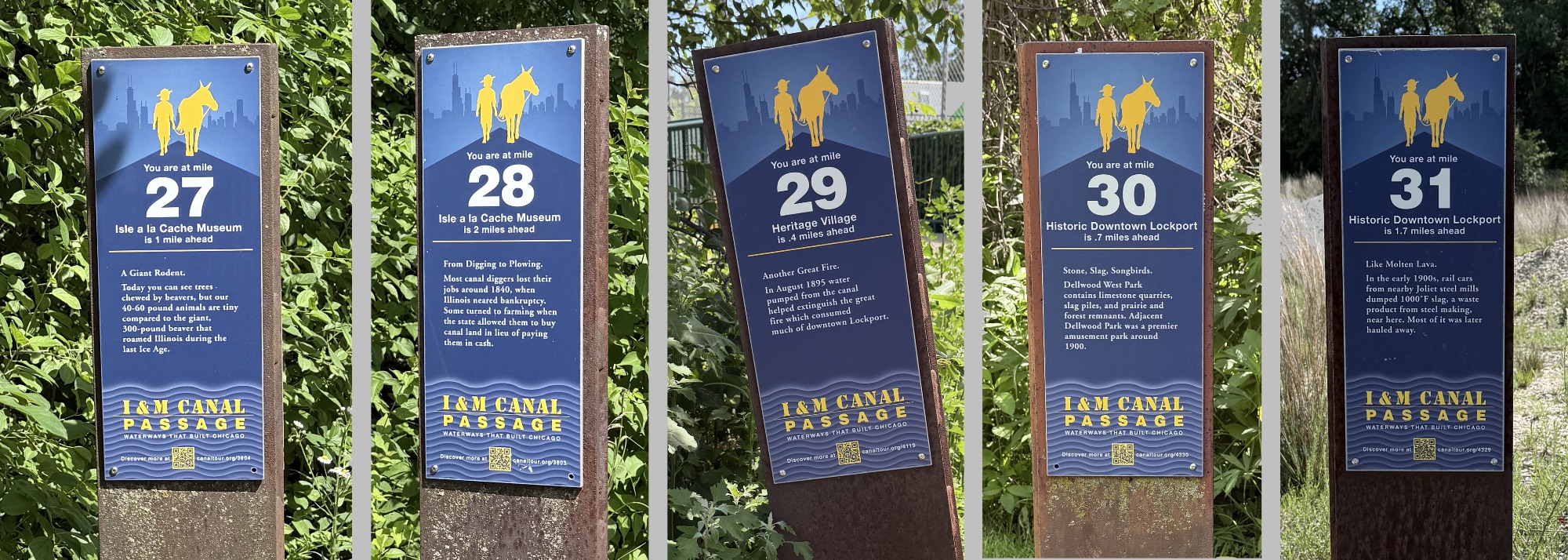
The mileage figures on the markers increase as you go south and west, which is downstream. There are several more markers in Lockport, where they’re graduated in tenths of a mile, but these will do for our purposes.
My ride started nearly a mile before Marker 27 and continued about a mile after Marker 31, which would lead you to believe I rode six miles, not eight. But the trip is definitely eight miles. I have my Fitness app set to record in kilometers, and it always tells me this trip is 13 kilometers one way. And as we know from the Fibonacci conversion, 13 km = 8 mi.
As I passed Marker 27 on the way south, I was reminded of this anomaly and decided to use the trip to figure out why the markers and the mileage don’t match up. I checked my Workout screen on my watch as I passed each marker and learned that there were two miles between Markers 28 and 29 and between Markers 30 and 31. After turning around in the parking lot of the Joliet Iron Works, I decided to take a photo of each marker on the way back north and use the photos to calculate distances.
I already knew about Mathematica’s GeoDistance function, and I figured it must have a way of extracting the latitude and longitude of photos from their EXIF data. That turned out to be the Import function, and I was able to put the two together to make this short notebook:
As you can see, the distances between the photos (and therefore between the markers) were:
| Markers | Distance |
|---|---|
| 27–28 | 1.019 mi |
| 28–29 | 1.886 mi |
| 29–30 | 1.041 mi |
| 30–31 | 1.939 mi |
These are geodesic or “as the crow flies” distances. The canal and its trail are pretty straight, but there are a couple of doglegs between Markers 28 and 29, which explains why the distance between them is over a tenth of a mile off from two miles.
As you can see near the bottom of the notebook, I used the GeoListPlot function to make a map with the marker positions on it. I combined that in Acorn with the map from my iPhone’s Fitness app to make this image:
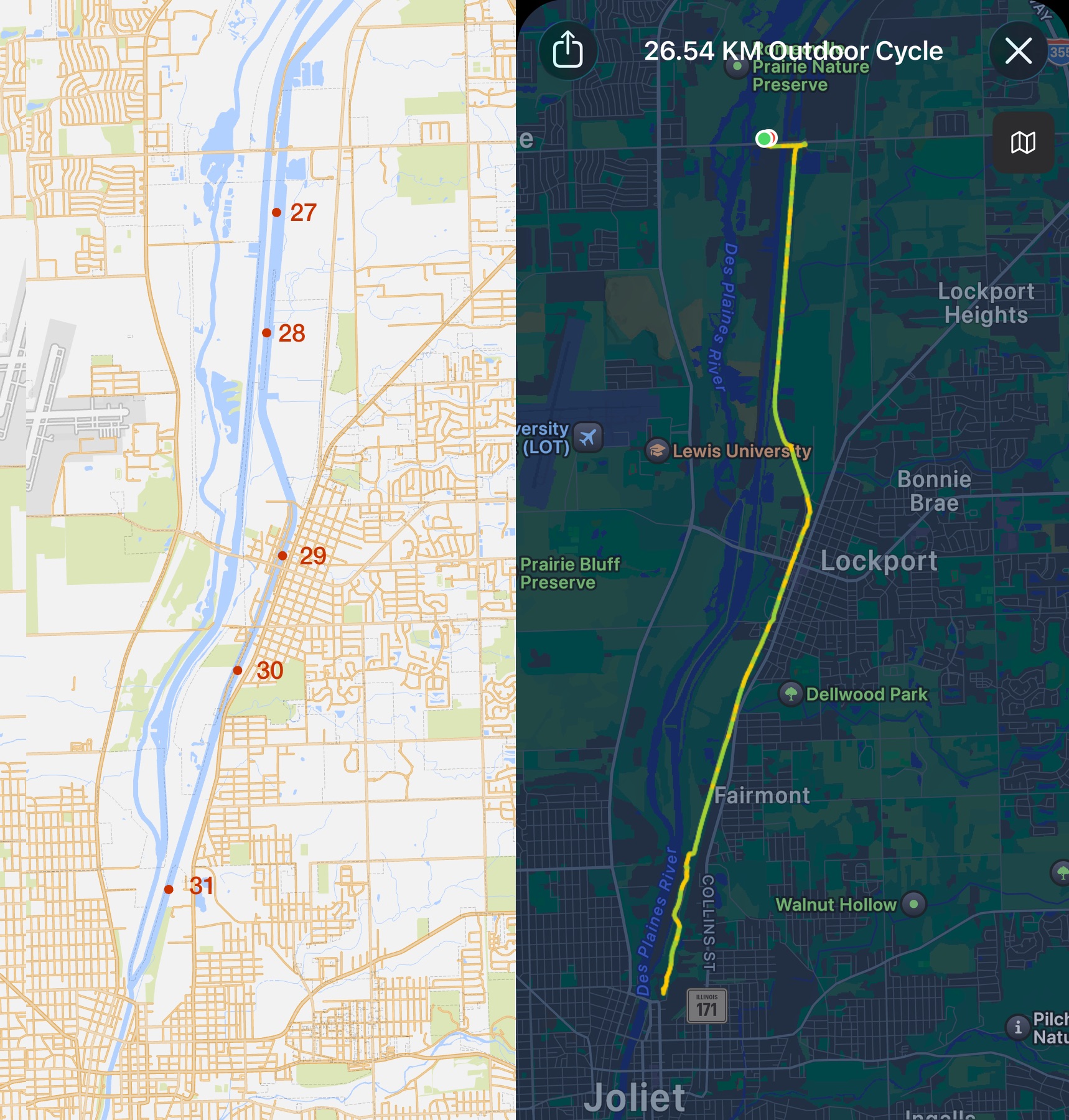
It took some trial and error with the GeoRange option to get the scales to match up reasonably well, but I think it was worth it. You can see where the mile markers fall on my route, and it’s clear that the distances between Markers 28 and 29 and Markers 30 and 31 are about twice as far as the other distances. Also, you can see how the geodesic distance between Markers 28 and 29 cuts the corners, making it less than two miles.
So I’ve solved the six-mile/eight-mile mystery, but I still don’t understand why the mileage on the markers is wrong.