
Blocking sender addresses from list view
May 4, 2026 at 11:54 AM by Dr. Drang
After yesterday’s post, I got an email from reader Ron Sprague outlining two ways to block sender addresses from the list view in iOS Mail. Both of these methods are efficient, and neither starts with choosing a command with a stupid name like View Contact Card. I knew about one of these methods but not the other; this post will describe both.
(My first thought was that this would be an update to yesterday’s post, but I soon realized it was going to be too long for that.)
The first method starts with a swipe to the left on the message whose sender you want to block. This brings up three options:
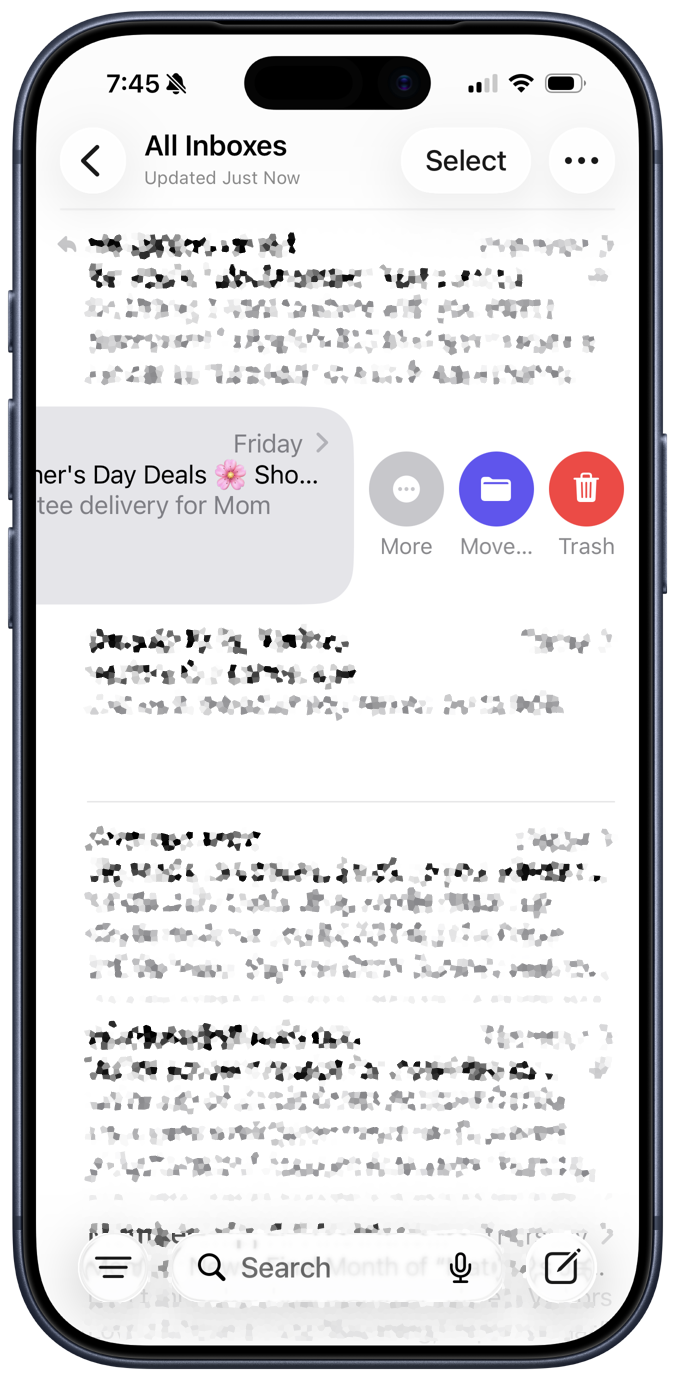
The options are
- Trash, which deletes the message.
- Move…, which lets you file the message in a folder.
- More, which brings up the following set of commands:
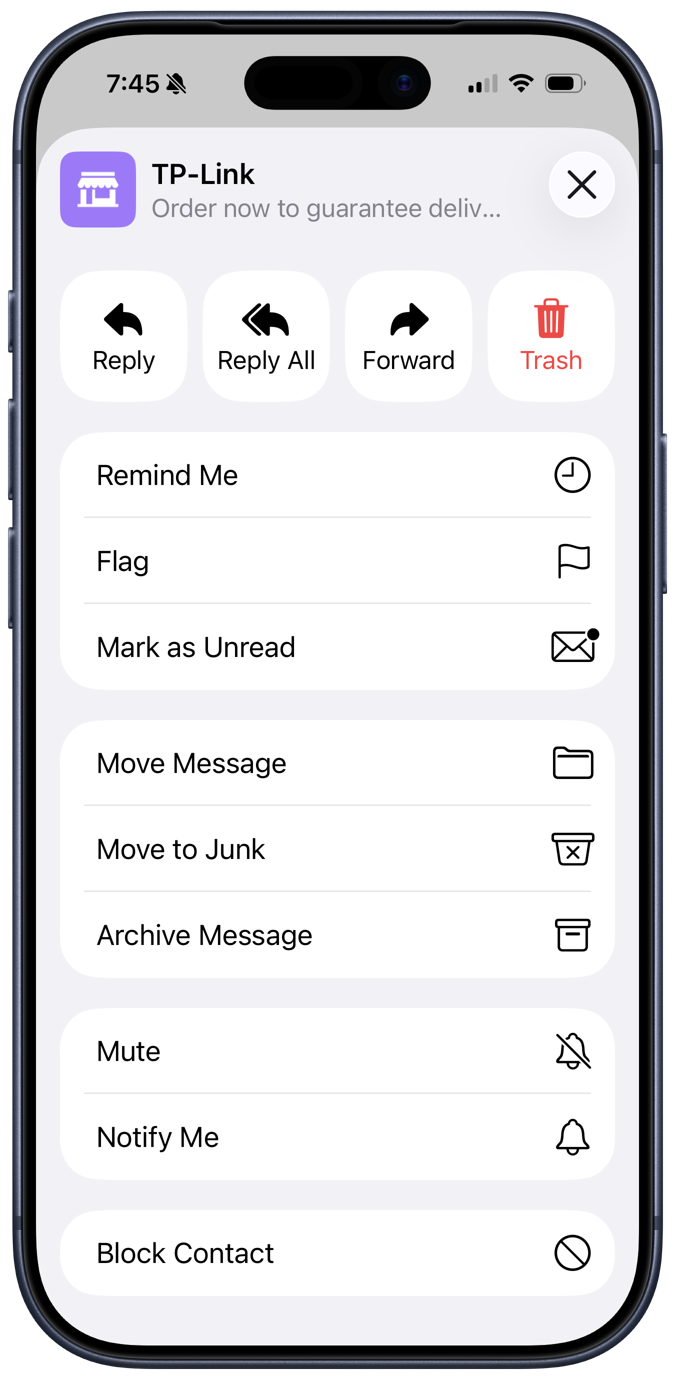
You may need to swipe up to see the whole list.
Update 4 May 2026 2:48 PM
I am reminded by Leon Cowle that the buttons you see when swiping left may not be what my screenshot shows. The possibilities for the middle button are given in Settings→Apps→Mail→Swipe Options as None, Mark as Read, Flag, and Move Message. I have it set to the latter, even though I have no memory of doing so.
Two of these commands repeat what was in the previous screenshot, but a little redundancy never hurt anyone. What we’re interested in is the Block Contact command at the bottom, which does exactly what we want.1
This is a pretty efficient way to block the sender if you’re in list view and can tell that that’s what you want to do from just the first couple of lines of the message. The next method, which I didn’t know about before Ron’s email, gives you a chance to see more of the message before deciding to block.
Starting again in list mode, long press on the message whose sender you think you want to block. This will bring up two windows, a larger one with a more complete view of the message and a small one with a list of commands.

If you were unsure whether to block the sender from the list view’s abbreviation, you’ll probably decide after seeing this. Tapping on the small list of commands makes it bigger and reveals the Block Contact command.
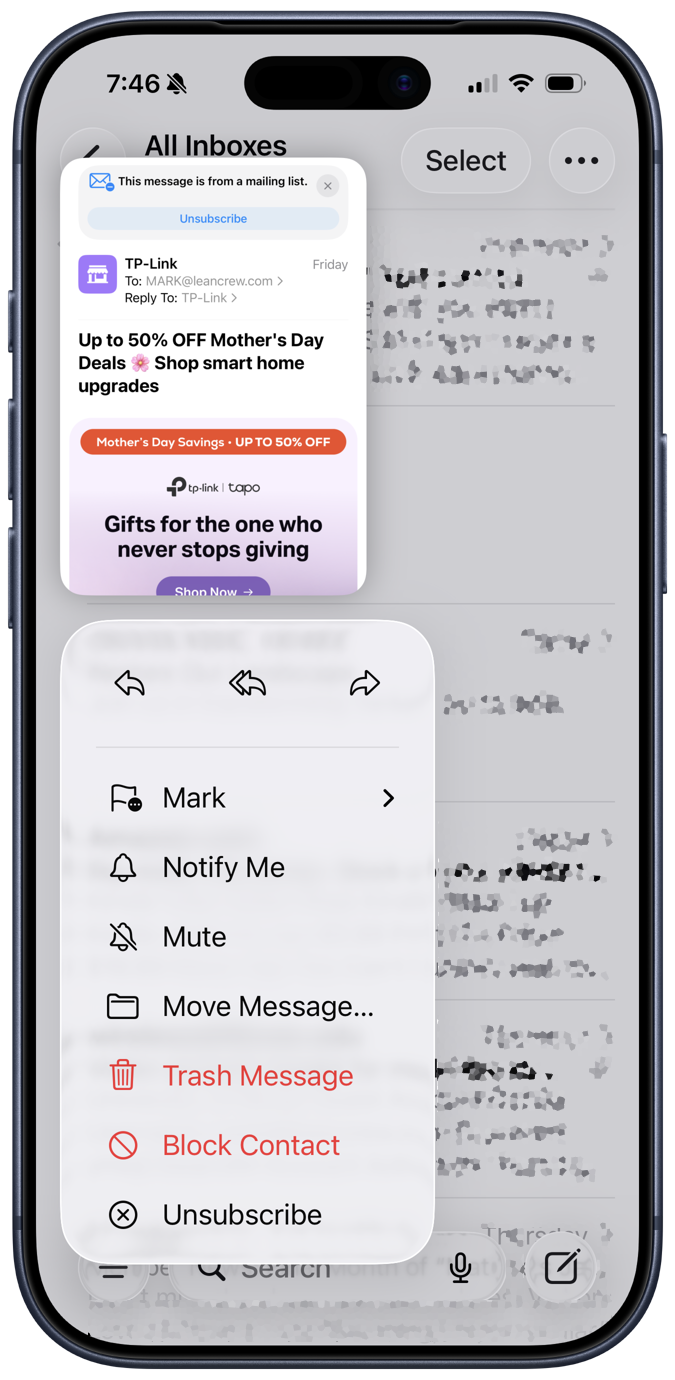
Why Block Contact is red in this command list and not in the others is one of the wonderful mysteries of Apple interface design.
These blocking methods (thanks again, Ron!) prove that Apple can make reasonably efficient interfaces when it wants to. Too bad it didn’t put the same effort into the blocking method you have to use from message view.
-
Yes, there’s a confirmation dialog after you choose Block Contact. There’s a similar dialog after the Block Contact command described in yesterday’s post. ↩